Tally, territories or street lists: picking a door-knocking setup
Three ways to run a door-knocking team: a simple daily tally, map territories (scheduled by the office or rotated automatically), or street lists. What each one tracks, who it suits, and how to choose.
By the SmoothFlo team · Updated November 7, 2026 · 6 min read
Every door-knocking team needs some way to know who knocked where and what came of it. How much detail you need depends on the size of the team and how often you go back to the same neighbourhoods. SmoothFlo has three ways to run it, and you can switch between them any time without losing anything.
The three setups at a glance
| Tally | Territories | Street lists | |
|---|---|---|---|
| What a canvasser does | Taps a counter as they go | Taps each house on a map | Taps each door number on a list or map |
| Tracks each house? | No, totals only | Yes, every pin | Yes, every door number |
| Who decides where they knock | They do, or you tell them | You schedule it, or it hands out territories by itself | You give each person streets |
| Comes back to not-homes | Not tracked | Yes, until the 3rd not home | Not home and come back later stay open |
| Best for | Small teams, getting started | Teams covering the same area year after year | Working one street at a time, near current jobs |
In all three, a lead goes straight onto your pipeline board when the canvasser adds it. Nobody has to type it in again.
1. The tally: the simplest start
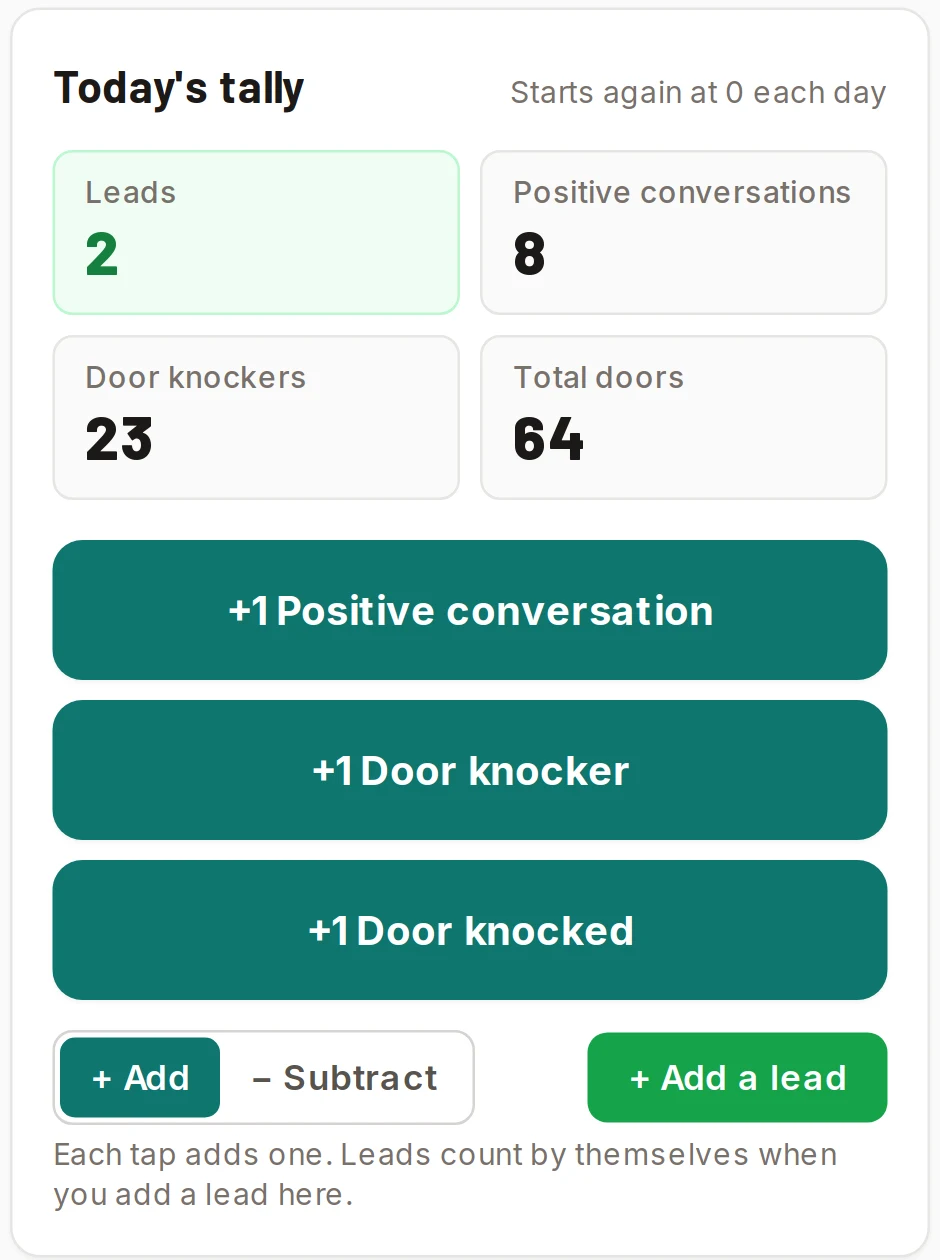
Each canvasser keeps a running count for the day on their phone: total doors knocked, door knockers (flyers) left, and positive conversations. Leads count by themselves when they add one. A new day starts at zero, and clocking out and back in keeps adding to the same day.
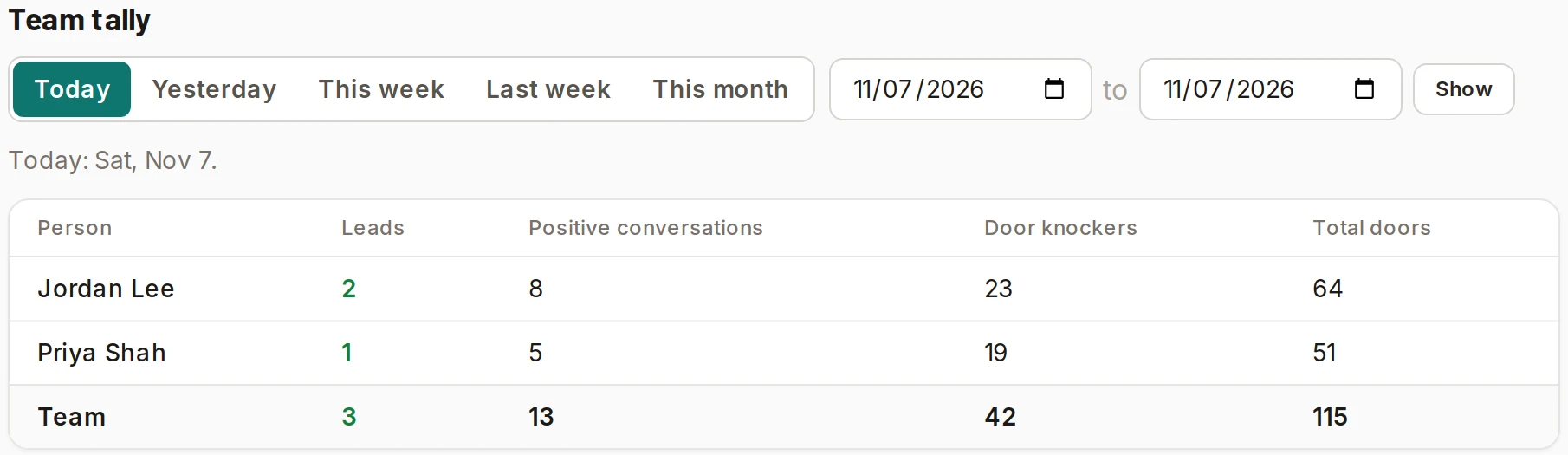
The office sees everyone's numbers for today, yesterday, this week, last week, this month or any dates you pick. If someone forgot to tap, an office admin can fix their numbers for that day, and the day shows it was changed.
- Good for: a team of one to five, trying out canvassing, or areas you won't come back to.
- The trade-off: you see effort and results per person, but not which houses were knocked. Two people can knock the same street.
2. Territories: every house on a map
You draw an area on the map and SmoothFlo drops a pin on every house in it, using OpenStreetMap. Canvassers tap a house to log what happened: not home, no, come back at a set time, or lead. Each pin takes the colour of its result, so anyone can see what's left.
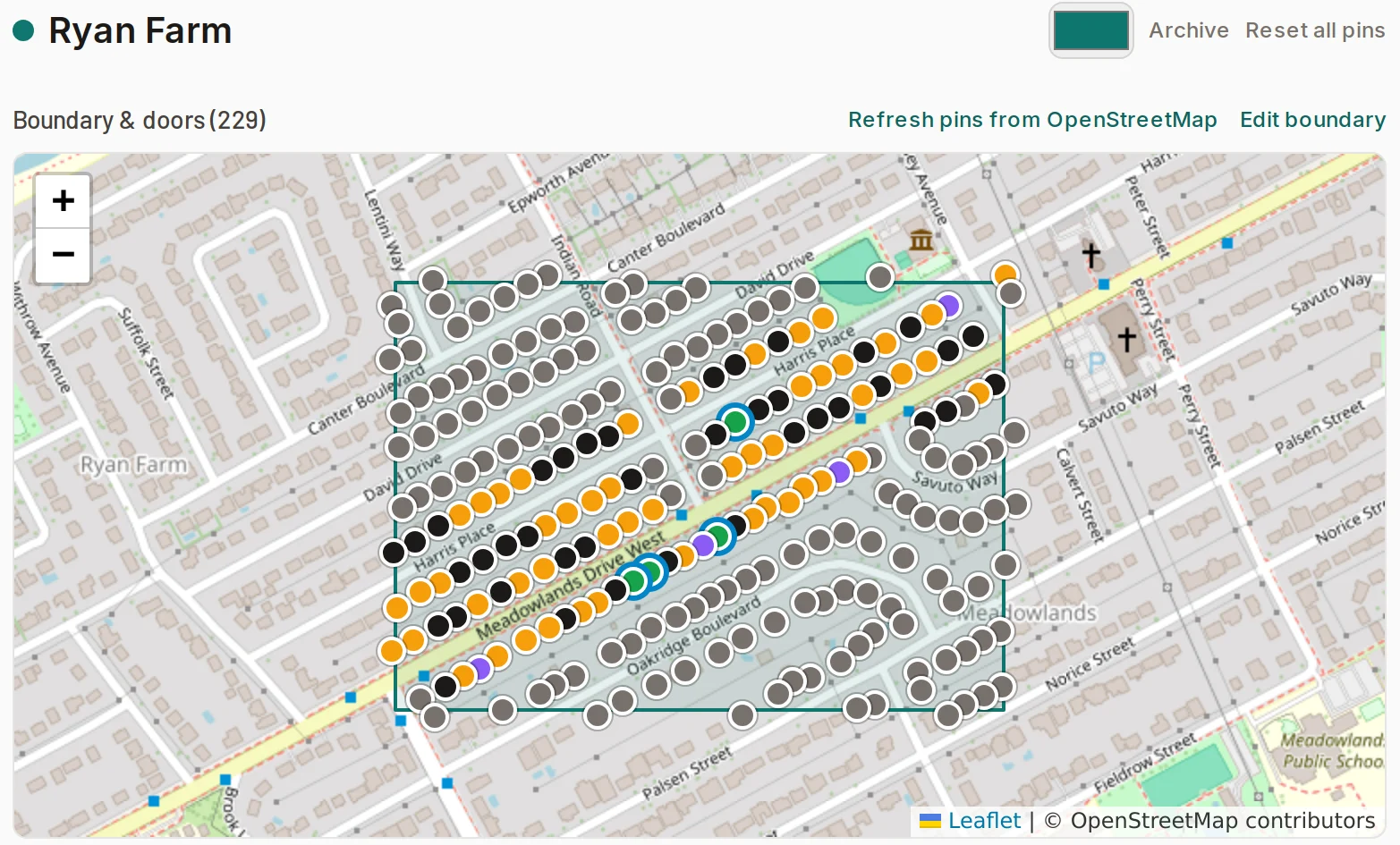
A not-home stays open, and the house is tried again until its third not home. Before they knock, canvassers also see the house's history: a past lead or a job you did there, and what happened the last few times someone knocked, even on a street list. A "no" in the last 90 days is flagged in red.
Who gets which territory: you, or automatic
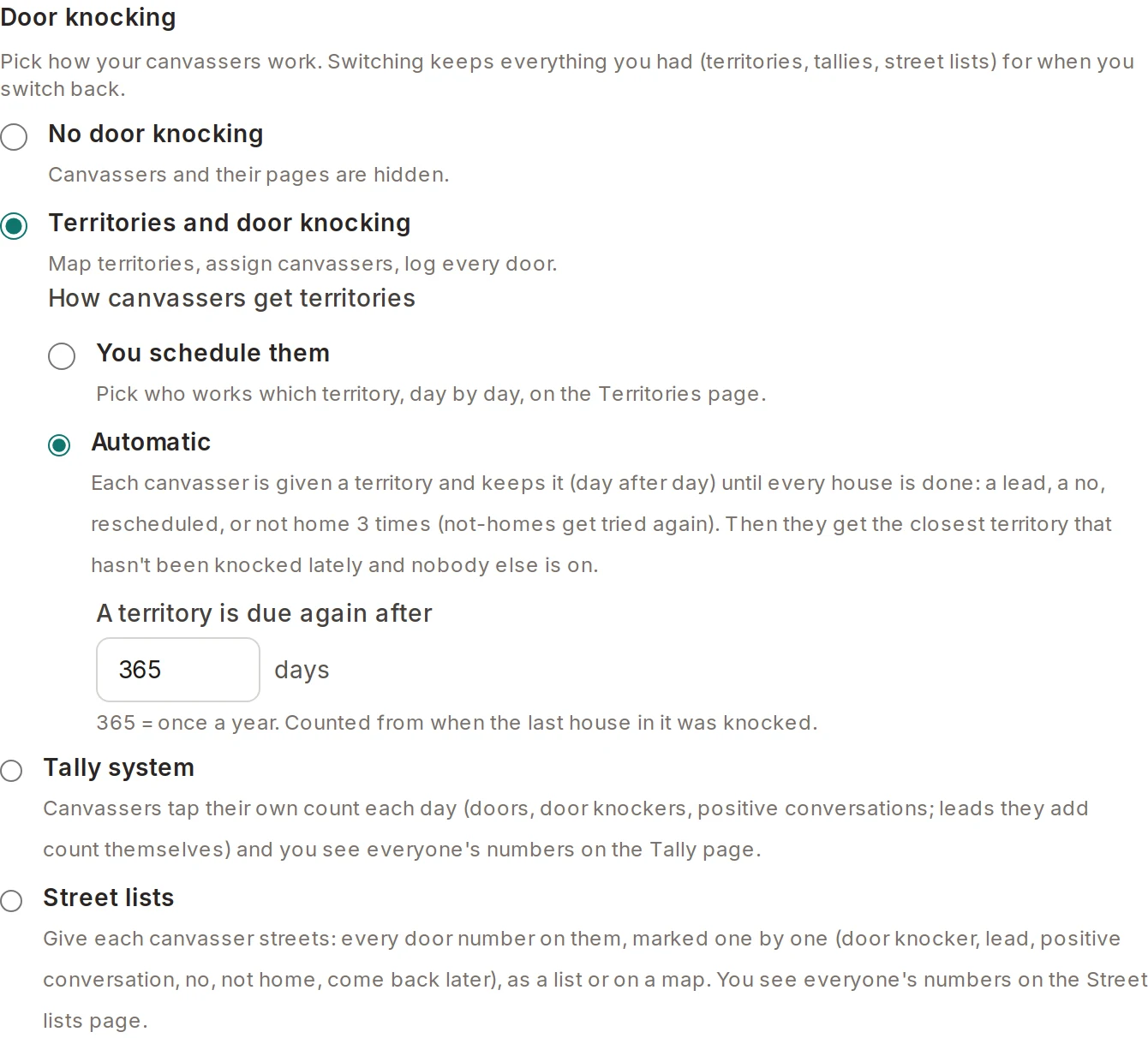
- You schedule them: on the Territories page, pick who works which territory, day by day. Good when you plan the week around jobs, weather or who's available.
- Automatic: each canvasser is given one territory and keeps it from day to day until every house in it is done. Then they're given the closest territory that hasn't been knocked lately and that nobody else is on.
With automatic, you set how long before a territory is due again: 365 days means once a year, counted from when the last house was knocked. When it comes due, it starts a fresh round: the houses go back to "to knock", and the leads stay as leads. Your whole area rotates by itself, the freshest streets go out first, and no two people end up on the same one.
- Good for: teams of several canvassers, companies working the same towns every season, and roofing or exterior work where you go back each year.
- The trade-off: there's a little setup up front, drawing your territories once.
3. Street lists: one street at a time
You make a list for one street. Type a number range like 1 to 120, pick odd or even sides, or fill it from the map, and give it to a canvasser. They walk it in order and mark each door: knocker left, lead, positive conversation, no, not home, or come back later. They can use the list or the same doors on a map.
Every mark also counts in that person's daily numbers, so you get tally-style totals without anyone tapping a counter. Not home and come back later stay open to knock again. To work the whole street again later, restart the list. The past numbers stay, and each door shows what happened last time, including knocks from a territory.
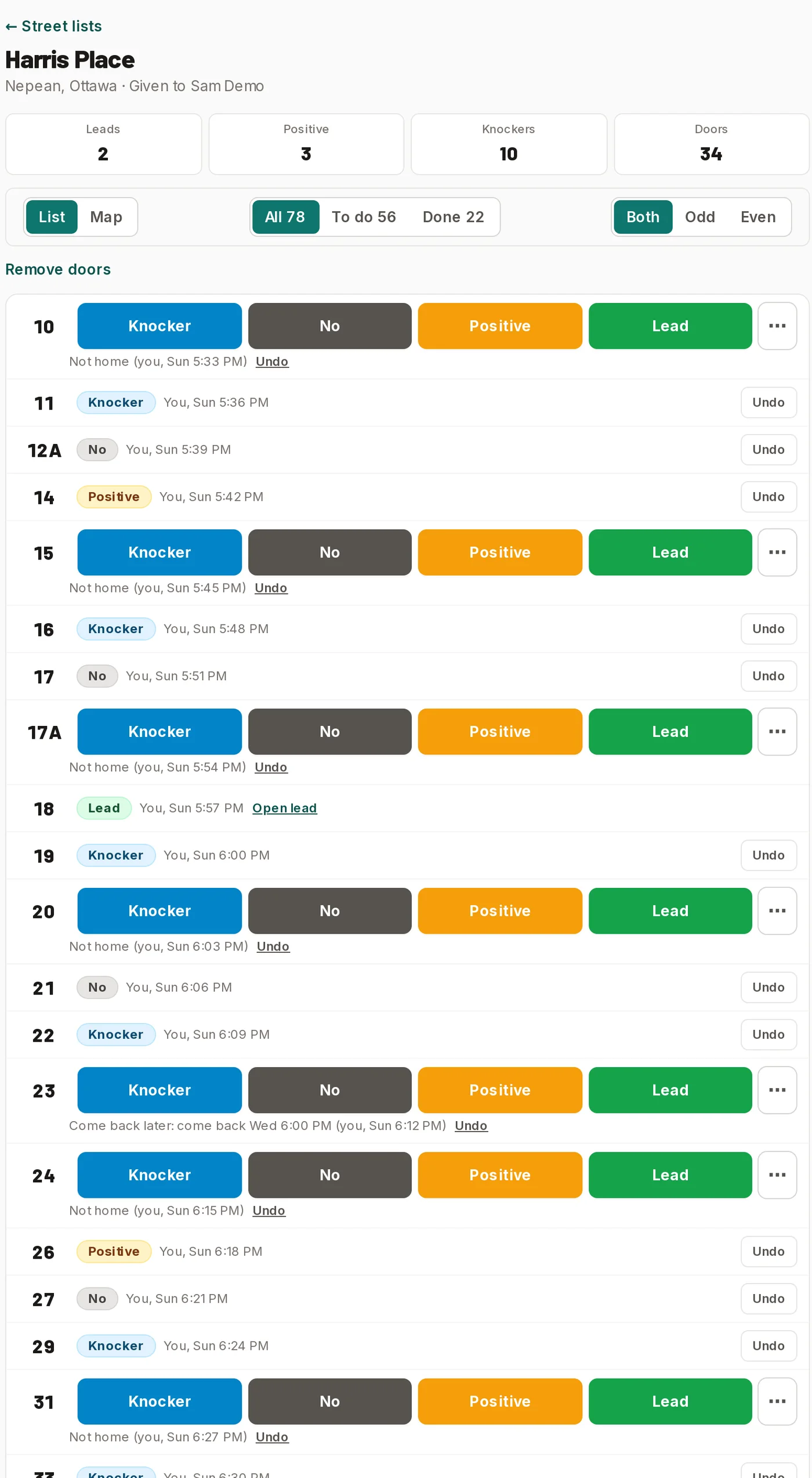
List
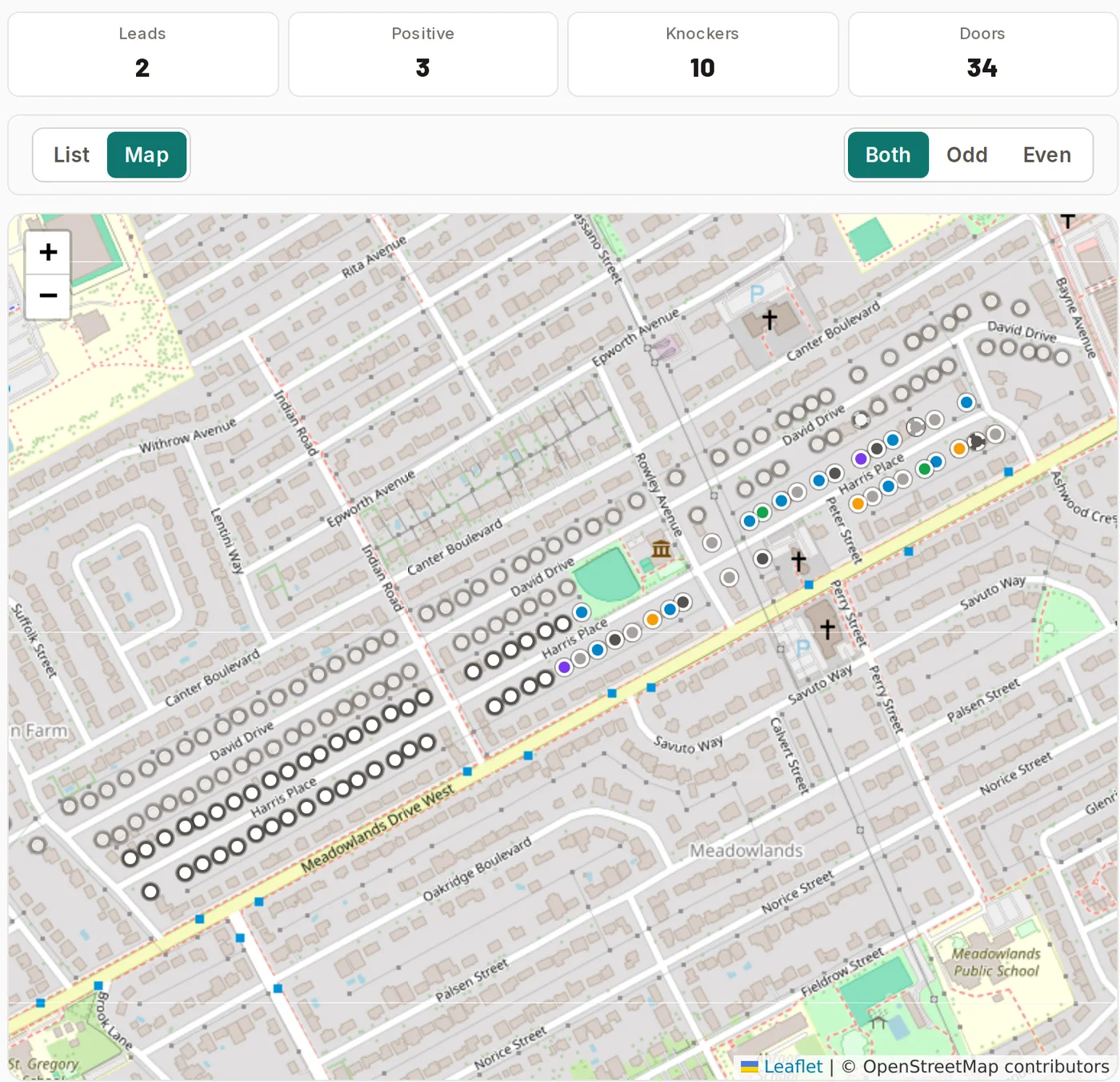
Map
- Good for: working the streets around a job you're doing ("we're painting number 22 this week"), and handing out a few streets an evening.
- The trade-off: you plan street by street, rather than by area.
How to choose
- 1Just starting, or one or two canvassers? Use the tally. It takes no setup, and you'll see right away whether knocking pays off.
- 2Knocking near current jobs, a few streets a night? Use street lists.
- 3Several canvassers covering the same region again and again? Use territories. Choose automatic if you'd rather not plan who goes where each day.
Questions contractors ask
Can canvassers see each other's doors?
With territories, everyone working a territory sees every pin on it, so nobody knocks a house twice. With street lists, each person sees the streets given to them, and the office sees all of them.
What happens to a lead logged at the door?
It's added to the pipeline straight away as a new lead, with the address filled in and the canvasser on it, so the office can call it the same day.
Which plan includes which setup?
The tally comes with Pro and Team, and can be added to Starter. Territories and street lists come with Team. Every setup is included during the free trial.
Built for the trades
Do all of this in one place
SmoothFlo handles leads, door knocking, room-by-room estimates, follow-ups, invoices and job profit for contractors. The screenshots in this guide come from it.